Share

Public Share

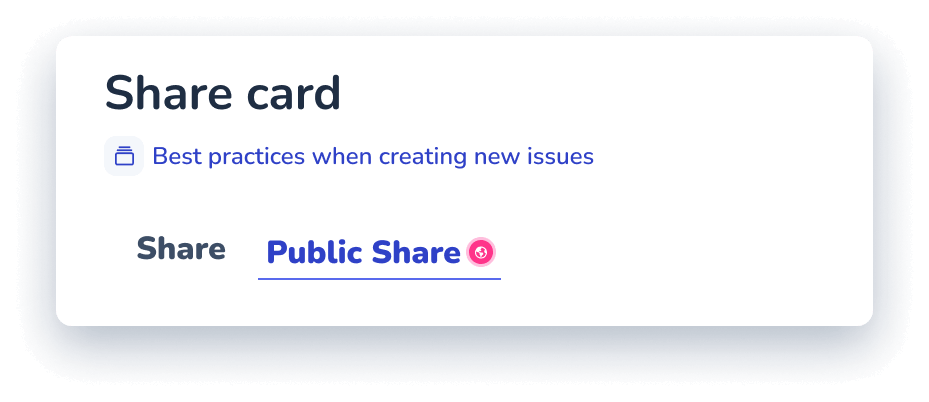
Share any SOP with people outside Whale

Generate a secure link for any card or playbook. Recipients open it in a browser, no account, no seat, no login. Restrict to specific email addresses and set an expiry date when the work is sensitive.
Trusted by 5K+ teams of all sizes
|
4.8/5 (180+ reviews)

Can you just show me how to do that again?

Our training is just... a folder of PDFs.

The people who need the SOP don't work at your company

You already work with clients, contractors, franchisees, and vendors who can’t log into Whale. A public link hands them the current version of the guide in a browser tab, with email restrictions and expiry dates when the work is sensitive.

I already explained this 3 times this week.

I don't know... Sarah used to do that.

How teams do it today

Emailing a PDF that's outdated the moment you send it

Adding an external contractor as a paid Whale seat

No way to revoke access once a partner moves on

Franchisees working from a copy nobody can update

With Whale's

Public Share

A live link that always shows the current version of the SOP

External viewers open the guide in a browser with no seat

Revoke any link the moment a partner or contractor leaves

Franchisees read from the same source the head office edits

Lock the link to specific email addresses

Every public link is JWT-signed. Leave it open so anyone with the URL can view, or restrict the link to a list of email addresses so only those recipients can open it. Add an expiry date for sensitive guides. Revoke any link from the sharing panel the moment access needs to end.

One link, always the current version

The public link points at the live card in your Whale workspace. Edit the SOP and every recipient is reading the new version the next time they open the link. No more chasing down five outdated PDFs across five inboxes. One source for your team, the same source for everyone outside it.

Every card in Whale is ready to share

Public Share is built into every card and playbook. The SOP a new hire follows is the same SOP a franchisee opens from a link. Alice, Whale’s AI assistant, drafts the content, CoPilot surfaces it inside the tool where the work happens, and a public link hands the same guide to anyone outside the workspace.
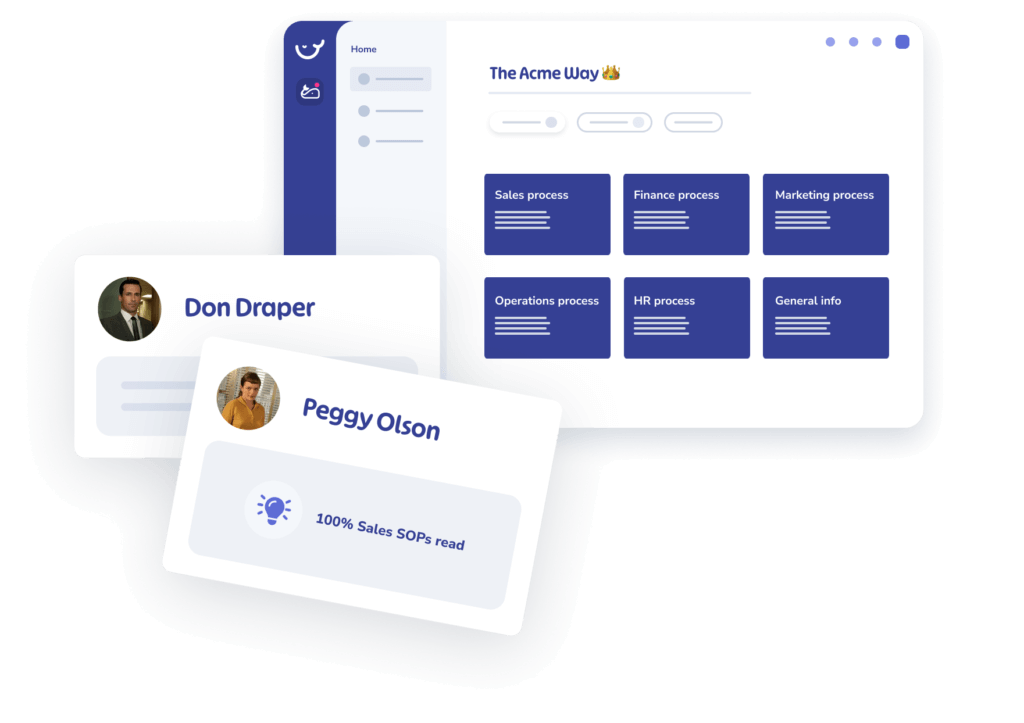
A digital dashboard showcasing various process categories, user cards for Don Draper and Peggy Olson with respective progress, and integrated SOPs documentation.

How it works

Generate a link from any card or playbook

Open any card or playbook in Whale, click Share, and generate a public link. Decide whether the link is open to anyone with the URL or restricted to specific email addresses.

Set an expiry date or lock to specific emails

Add an expiry date for time-limited access, restrict the link to a list of email addresses for sensitive guides, or leave it open for wide distribution. Every link is JWT-signed and revocable.

Send the link through any channel

Paste the link into an email, a Slack or Teams message, a partner portal, or a QR code. Recipients open the SOP in a browser with no Whale account and no install.

Trusted by 5K+ teams of all sizes

|

4.8/5 (180+ reviews)

Loved for its overall simplicity and support

Frequently Asked Questions

No. Anyone with the link opens the card or playbook in a regular browser tab. No Whale login, no seat on your plan, no install. That is the whole point of Public Share. Use it for clients, contractors, franchisees, auditors, and vendors who need the SOP but don’t belong inside your Whale workspace.
Every public link is JWT-signed. You can leave it open so anyone with the URL can view, or restrict the link to a list of email addresses. When a restricted link is opened, the recipient verifies the email address before the content loads. You can also set an expiry date so the link stops working after a specific point, and revoke any link from the sharing panel at any time.
The link points at the live card in your workspace, so recipients always open the current version. If you edit the SOP this morning, everyone opening the link this afternoon reads the new version. There is no file to resend and no stale PDFs in inboxes. If you need to cut off access entirely, revoke the link in the sharing panel and the URL stops working.
Yes. Public Share is part of every Whale plan, including the free tier. There is no per-view charge and no cap on the number of public links you can generate. Email-restricted links and expiry dates are available to every plan as well.
For sensitive content, use email-restricted links with an expiry date so only the named recipients can open the SOP and only within the window you set. Every access is logged against the link, so you can see which email opened it and when. For content that should never leave the workspace, keep it off Public Share and use Advanced Permissions to control internal access instead.
A Scribe share link gives a recipient a capture document. A Whale public link gives a recipient a live SOP that updates the moment you edit the source, with optional email-gating and expiry controls. Compared to a PDF export, a Whale link is always current, revocable at any time, and tied back to the card in your workspace, so the process stays one source of truth whether the reader is a full-time employee, a contractor, or a franchisee. Included on every Whale plan, including the free tier.

Other features

QR Codes

Link any SOP to a physical location with a scannable QR code.

Auto-Translate

Translate any card into dozens of languages with one click.

Advanced Permissions

Control exactly who can view, edit, and manage content in your workspace.